
11-in-1 Extension for Frontend Devs
The only extension a frontend dev needs.
Inspect CSS, scan Tailwind classes, pick colors,
identify fonts, measure spacing, capture screenshots
— all from one toolbar icon.
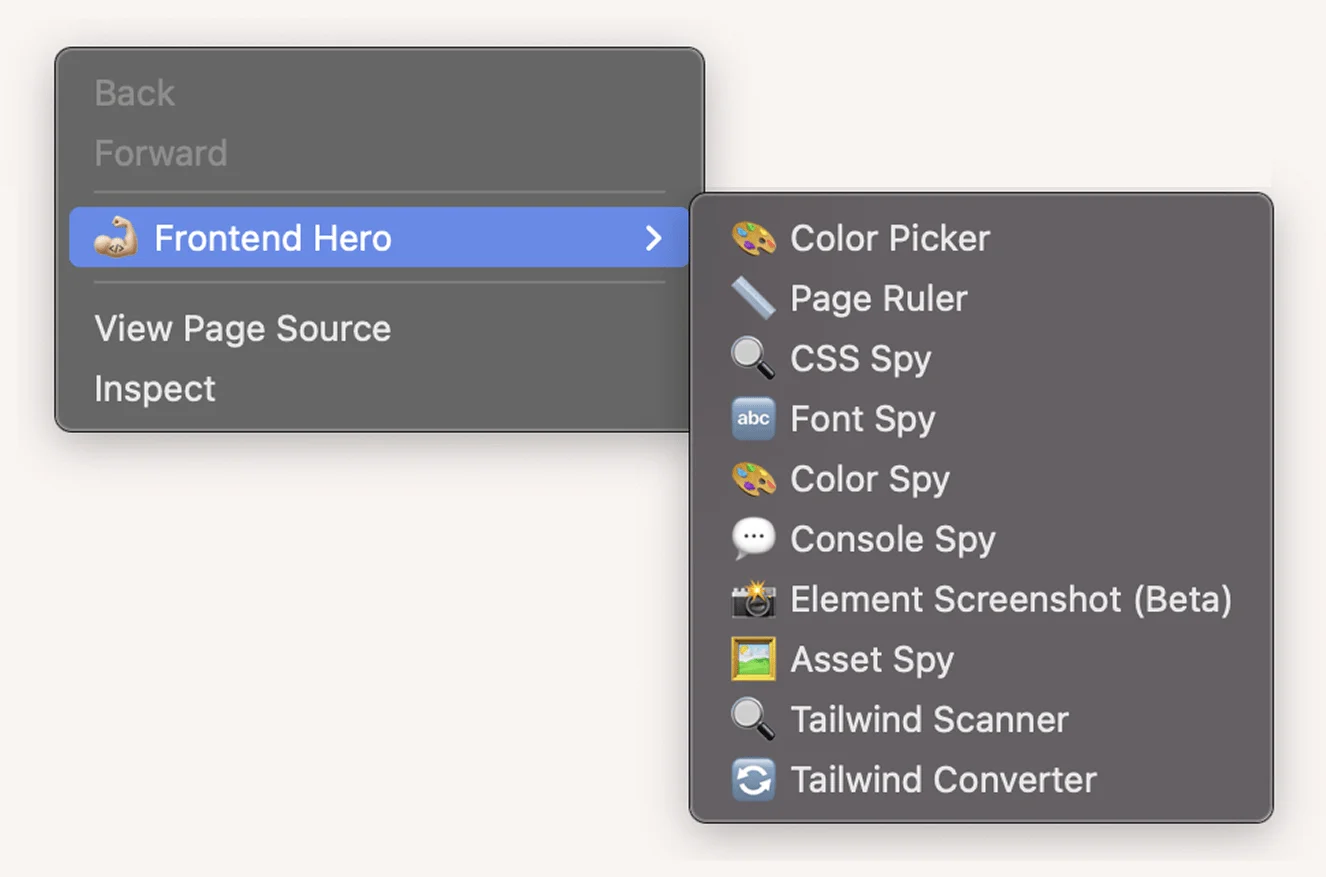



What used to take 11 extensions now takes one.
No more switching between buggy extensions.
Fewer extensions. Faster browser. Better workflow.
Get an 11-in-1 extension for the price of one.
Text Edit ModeNew
Make any text on the page editable to preview different content without changing the source code. Perfect for testing headlines, copy changes, and content variations.
Element Screenshot
Capture any element as an image, just click and save. Perfect for bug reports and documentation.
CSS Scanner
See and edit all the styles of an element including media queries and pseudo-classes like :hover.
Font Explorer
See all the fonts used on a page, their sizes and weights.
Color Palette Explorer
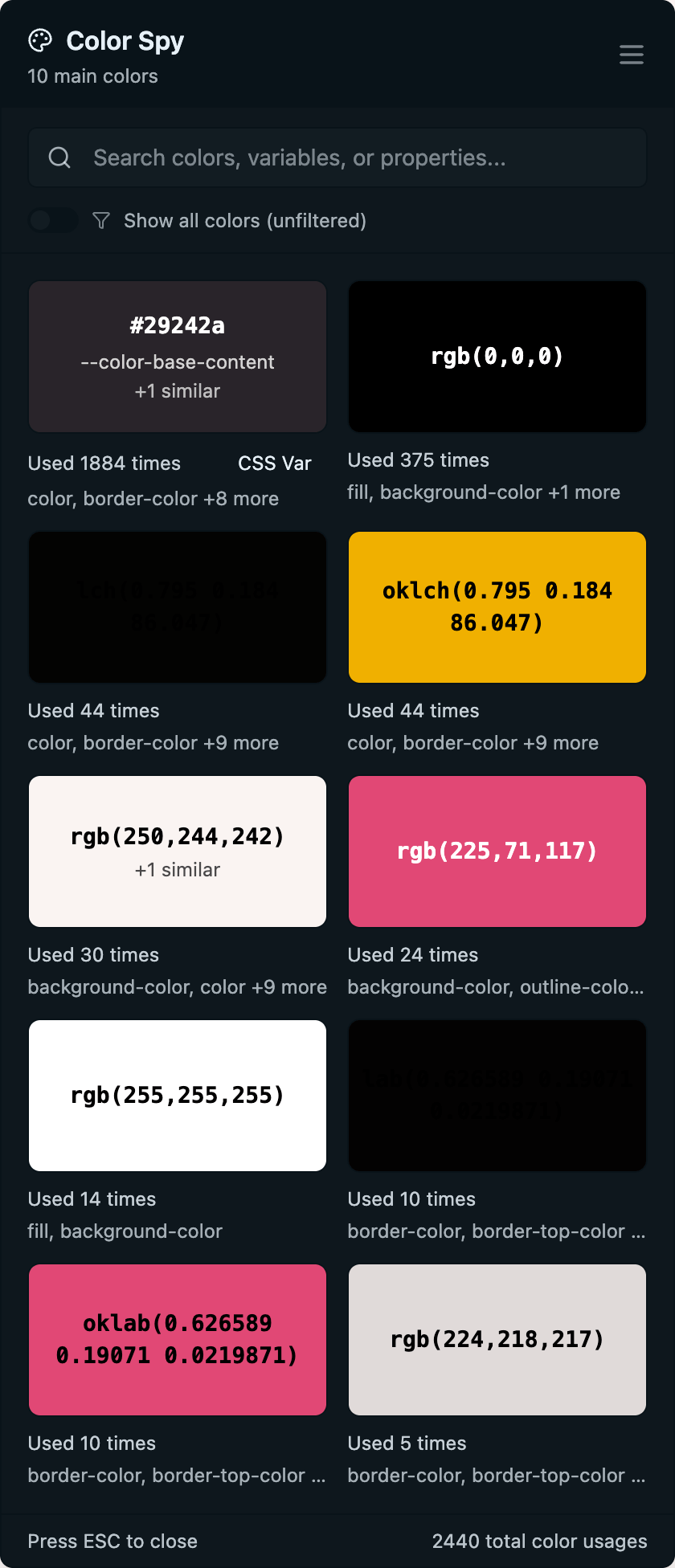
See and copy all the colors used on a page.
Console Spy
See console messages without opening DevTools. With optional filters to only show messages you want to see.
Tailwind Scanner
Get the Tailwind classes of any element ordered by category. Disable classes and edit them on the fly.
Tailwind Converter
Convert any element's styles to Tailwind utilities instantly.
Page Ruler
Click and drag to measure elements on the page. Resize edges and move rulers with snapping functionality.
Asset Spy
Download all images from a page in one place. Grab backgrounds, SVGs, and even base64 images.
Color Picker
Pick any color on the page and get the exact color code. Copy the color in any format you want, including Tailwind classes.
Coming next
Three more tools are in development.
- Page Screenshot - Capture full page screenshots
- Accessibility Checker - Scan for accessibility issues
- SEO Checker - Check for SEO issues
Loved by developers like you
"I used to have ColorZilla, WhatFont, CSS Peeper, and like 4 other extensions installed. Replaced all of them with this. My browser actually loads faster now lol."
Jake Morrison
Frontend Developer
"The Element Screenshot tool is the reason I bought this. Clients always ask me to "show them what I mean" and now I just click an element and send it. Paid for itself on the first project."
Priya Sharma
Freelance Developer
"Tailwind Scanner is incredibly useful when working on someone else's codebase. I can hover over anything and see the exact classes. Wish it had Firefox support though, since half my team uses it."
Tom Nguyen
UI Engineer
"Honestly I was skeptical about paying $59 for a browser extension, but the CSS Scanner showing hover and focus states is something no free tool does properly. Console Spy is a nice bonus too."
Sarah Chen
Full Stack Developer
"Page Ruler with the snapping guides is way better than the janky free ruler extensions I was using before. The color picker outputting Tailwind classes directly saves me constant trips to the docs."
Marcus Webb
Senior Frontend Engineer
"Asset Spy is surprisingly handy. Had a project where I needed to grab all the SVGs from an old site we were rebuilding. Did it in about 10 seconds instead of inspecting each one."
Laura Kim
Web Developer
"Bought 3 licenses for my frontend team. The Tailwind Converter alone has sped up our migration from plain CSS. Could use better docs for some features, but the tools themselves are solid."
Daniel Reeves
Tech Lead
"The fact that this is a one-time purchase and not another $15/month subscription is what sold me. I use the Color Palette Explorer and Font Explorer almost daily when building landing pages."
Mia Torres
Indie Developer
"Text Edit Mode is something I didn't know I needed. Testing different headline lengths and copy changes right on the page without touching code is really useful for quick demos."
Chris Park
React Developer
Frequently Asked Questions
Frontend Hero currently supports Chrome, Brave, Edge, and all other Chromium-based browsers. Firefox support is coming soon.
Frontend Hero is a one-time purchase. You pay once and get lifetime access to all current features and future updates.
Each license of Frontend Hero allows you to use the extension on one device. You can purchase multiple licenses to use on multiple devices.
Yes, we offer team licenses with volume discounts. You can email us at sales@frontend-hero.com to get a quote.
We offer a no-questions-asked refund within 3 days of purchase. If you're not satisfied with Frontend Hero, just email us for a full refund.
We release updates regularly, typically every 2-4 weeks. Updates include new features, bug fixes, and performance improvements. All updates are free for active license holders.
Yes! You can transfer your license from an old device to a new one. Simply go to the license dashboard at /dashboard to manage your devices and deactivate the old device before activating on the new one.
Get Frontend Hero Today
One license = One browser. Use on multiple devices? Get multiple licenses.
Each license works on one browser. Need team licenses? Email sales@frontend-hero.com for volume discounts.